KHUT/KBH gives me a NULL token and doesn't show categories!
Posted Nov 30, 2017 12:37 pm
We are aware, and we also have a fix for it. As of this moment I am not able to update the actual KongHack Ultra Trainer (KHUT) so i have had to make this post.
The issue has been fixed and now allows both http:// and https:// URLs to be used.
1. Find the folder KHUT is installed to
2. Extract the contents of the ZIP file into the root folder of the KHUT installation
3. Optionally change shortcut links to point to the new executable rather than the old (KongHackTrainer.exe)
How do I find KHUT's install folder
Open KHUT and Task manager
Right click on the KongHackTrainer process and select Properties

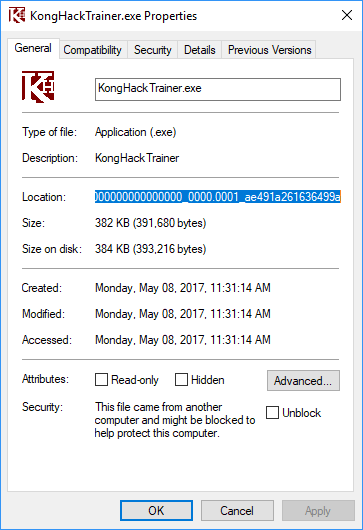
Copy the location and browse to that location
Right click on the KongHackTrainer process and select Properties
Copy the location and browse to that location
Attached files
| Filename | Size | Downloads |
|---|---|---|
| khut-patch-11302017.zip | 163.3 KB | 1,135 |