cheat engine
Posted May 30, 2013 5:23 am
how to determine in the process list the right game of chrome.exe theres so many of them
the right chrome.exe
14 posts
how to determine in the process list the right game of chrome.exe theres so many of them
Go to chrome://memory and look for the process containing the name of whatever the hell it is your doing, copy the number (PID) to the left of it and enter that into a calculator, change the number from "dec" mode to "hex" mode.

PID codes in chrome/memory and CE process list PID codes are not the same dude!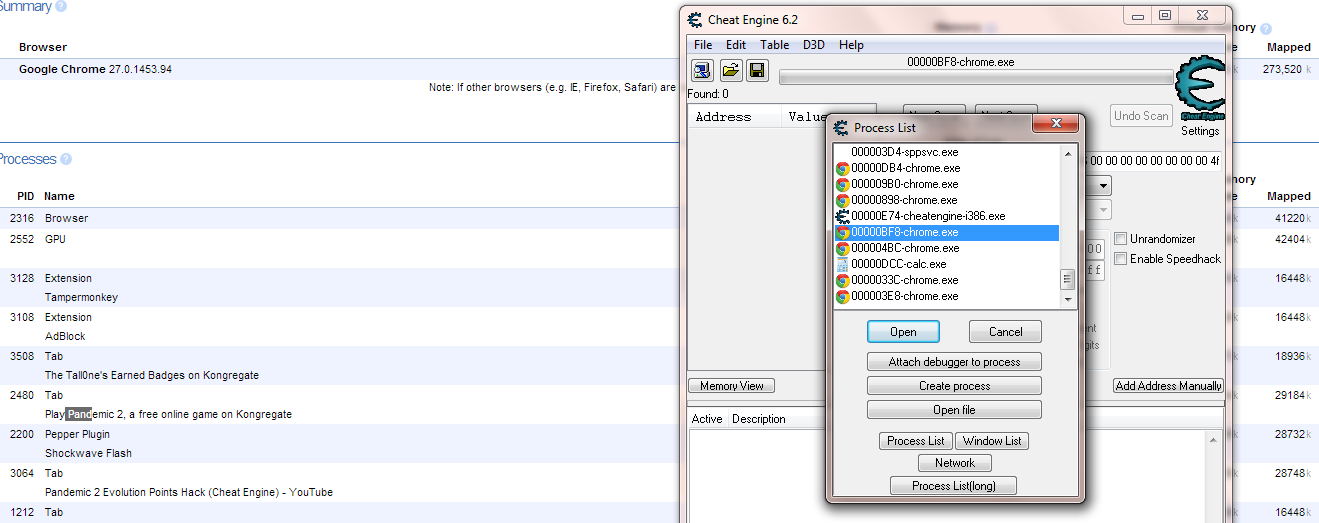
PID codes in chrome/memory and CE process list PID codes are not the same dude!
wait for it...
copy the number to the right of it and enter that into a calculator, change the number from "dec" mode to "hex" mode.
magic.
lets see here, 2480 converted is 9B0
oh look, thats in your processes list.
please try and read EVERYTHING before you jump to a conclusion
|
|
Or juse use Opera.. its alot easier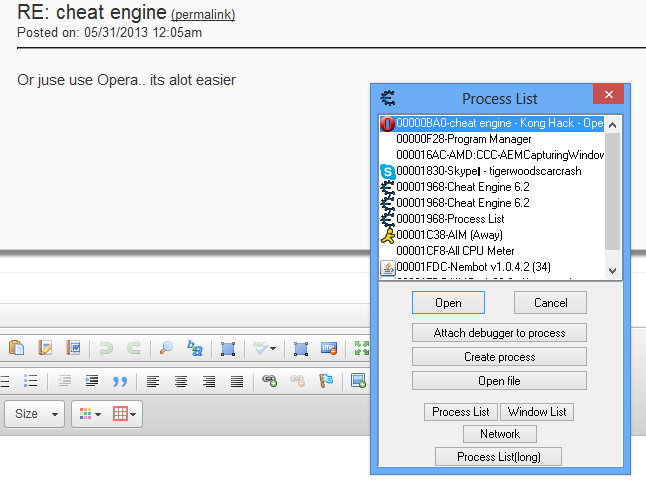
Or juse use Opera.. its alot easier
eww opera. its like internet explorer, except nothing is as awful as IE.
ill stick with my firefox thank you :)
|
|
wtf.. IE is prone to viruses.. Opera alone prevents most viruses.. Opera works on EVERYTHING.. something no other browser can say. Sign up for an account and have all you favorites/history etc on ANY device that you're on. Really doesn't seem awful. Also you can easily convert FF extensions and GM to opera extensions..
again, ill stick with Firefox ;)
every browser has pro's and con's
|
|
theres also a really nice tutorial here.
https://konghack.com/view_topic.php?t=5174
I use this AoB tool to make all the AoBs I post. Try the online version if you dont feel like downloading it.
"Obviously, windows are central to Windows. They are so important that they named the operating system after them. But what is a window?"
I usually go with the dec to hex conversion of the PID (also works well if you have multiple eligible processes in firefox. Most of the time you want to check out the one consuming most RAM).
But what also works in most games, especially in those dozens of chrome processes, is staying somewhere in the game where there is movement (most often the title menu already has some tiny animation) and just speed hack to something =< 0.1. Does it slow, then you have found the process, does it stay, deactivate speed hack and continue with the next.
I only use konghack as a "last resort", so this way makes me feel like I did at least a bit of hacking ;)
PID codes in chrome/memory and CE process list PID codes are not the same dude!
So you see on your tab it says 2480 you can open a calculator on your computer switch it to Programmer and type in 2480 press enter and the HEX(First one) is your process. In this case, it would be 000009B0-chrome.exe(third one on the Process List).
i use firefox v56.0.2 and it works fine, just have to locate plugin-container.exe process in cheat engine and done.
I've just recently made note that in processes in chrome if you use the Shift+esc to pull up Chrome task manager, sometimes your game will show up as a subframe under your Kongregate tab, it'll be listed as konggames.com.
After you get the process ID, use default calculator in programmer mode (I mean the calculator shipped with your windows), type you PID in DEC (just click it), and you will get the HEX. Search the HEX number in cheat engine processes list